
You upload your resume for a role that fits you well and hear nothing back. Sometimes that is just competition. But sometimes the problem starts before any person reads your application: the software that receives it could not read it properly.
Many employers use an applicant tracking system (ATS) to collect, sort and search applications. An ATS-friendly resume is one that this software can read accurately, so the right information reaches the recruiter. This guide explains how ATS software handles your file and how to format and tailor your resume so it reads well for both software and people.
This article is independent and not sponsored. Kingdom of Jobs has no paid relationship with any company or tool mentioned below.
Resume or CV? A quick note on names
What the document is called depends on where you are applying. In the United States and Canada, a “resume” is the short document used for most applications, while a “CV” usually means a longer academic record. In the United Kingdom, Ireland and much of Europe, the everyday document is called a CV. In Australia, India, South Africa and parts of Asia and the Middle East, both words are common and often interchangeable.
The advice below applies whichever term your target employer uses.
How an ATS reads your resume
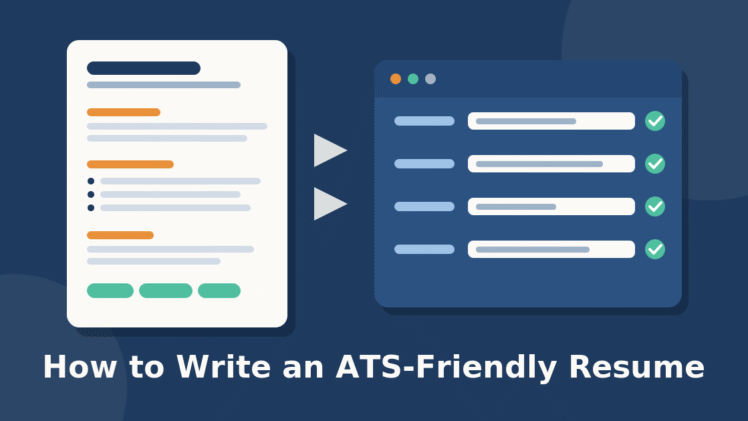
When you upload a resume, most systems run it through a parser that extracts the text and places each piece into a candidate-profile field: name, contact details, job titles, employers, dates, education and skills.
If parsing goes wrong, job titles can land in the wrong field, dates can go missing, or contact details may not be captured, making your application harder to find and read.
ATS vendors document this themselves. Greenhouse’s support article on unsuccessful resume parses lists the kinds of resumes its parser can struggle with, including resumes with graphics, photos or word art; resumes uploaded as an image rather than a document; complex layouts with tables, headers and footers; name and contact details placed in a header, footer or text box; columned layouts; and resumes without clear sections. It also notes a file-size limit, which image-heavy resumes can exceed.
Every ATS is different and systems change over time, so no format is guaranteed to parse perfectly everywhere. And the ATS is usually a tool for recruiters, not an automatic judge; a clean, readable resume helps both.
Choose the right file format
- Follow the job posting first if it names a format.
- DOCX and text-based PDF are the usual choices. Greenhouse, for example, mentions .docx and .pdf as document formats, in contrast with resumes uploaded as images.
- Make sure your PDF contains real text. A PDF exported from a word processor normally does; a scanned page does not. Test by trying to select and copy a sentence.
- Use a clear file name, such as
Firstname-Lastname-Resume.pdforFirstname-Lastname-CV.docx.
Layout and section headings
A simple structure is the most reliable. The US Department of Labor-sponsored CareerOneStop resume formatting guide recommends starting with a single-column layout, using standard section headings such as “Work Experience”, “Education” and “Skills”, and keeping the resume to one or two pages where possible.
A practical order for most people:
- Name and contact details at the top of the page, in the main body.
- Summary: two to four lines on what you offer for this type of role.
- Skills: a short list of relevant hard skills, tools and certifications.
- Work experience: most recent first, with job title, employer, location and dates for each role, followed by bullet points.
- Education and, if relevant, certifications, projects, volunteering or languages.
If you are early in your career, you can place education before work experience. The UK’s National Careers Service guide on how to write a CV makes the same point and suggests that people with longer work histories lead with experience instead.
Keep headings conventional: “Work Experience” beats a creative label like “Where I’ve Made an Impact”. Avoid purely skills-based (functional) resumes that hide your work history; CareerOneStop warns that this style may be misinterpreted by employers or rejected by ATS. A combination format, with a summary and skills section followed by a full work history, is a safer way to highlight transferable skills.
Formatting pitfalls to avoid
Many eye-catching templates use exactly the design choices parsers find difficult. Watch out for:
- Tables. Cell text may be read out of order or skipped.
- Multiple columns. A skills sidebar can be merged with your experience into jumbled lines.
- Headers and footers. Some systems ignore them. Never put your name, email or phone number only in the page header or footer.
- Text boxes and shapes. Content inside them may be invisible to a parser.
- Images, icons, logos and photos. Software cannot read text inside an image, and skill “rating bars” or star charts convey nothing in plain text. Photo expectations also differ by country.
- Unusual fonts and spacing. Use a standard font such as Arial, Calibri, Georgia or Times New Roman. Do not space out letters for effect (for example, “J O H N”); Greenhouse notes that its parser cannot recognise separated letters as one word.
Contact details and dates
Put your contact information as plain text at the top of the first page:
- Full name, on its own line
- Phone number, including the country code if you are applying internationally
- A professional email address
- City and country (a full street address is rarely needed)
- A LinkedIn or portfolio link, written out as a readable URL
Be careful with personal details. The National Careers Service advises UK job seekers not to include age, date of birth, marital status or nationality. Norms vary by region, so follow local custom and leave out anything not needed to assess your fit.
For dates, choose one consistent format and use it everywhere, such as “March 2022 – June 2025” or “03/2022 – 06/2025”. CareerOneStop advises avoiding abbreviations such as ’19. Put dates next to each job title and employer rather than in a separate column. Write job titles in full: Greenhouse gives “Sr. Account Exec” instead of “Senior Account Executive” as an example of an incomplete title that can cause problems.
Use keywords honestly
Recruiters often search an ATS for specific skills, tools, qualifications or job titles. If your resume uses different words for the same skill, or leaves it out, you may not appear in those searches. A sensible approach:
- Read the job description carefully. Highlight required skills, tools, certifications and the exact job title.
- Match the employer’s wording where it is true for you. If the posting says “stakeholder management” and you have done it, use that phrase rather than a synonym.
- Include both the full term and the abbreviation the first time, for example “search engine optimisation (SEO)” or “Certified Public Accountant (CPA)”.
- Put keywords in context. “Built monthly sales dashboards in Power BI for regional leadership” beats a bare list of tools.
- Do not stuff or hide keywords. Repeating terms unnaturally or pasting the job description in white text will not help. CareerOneStop states plainly that extra keywords in a white font will not “trick” an ATS.
Most importantly, only claim skills you genuinely have. Everything on your resume can come up in an interview.
Tailor your resume for each application
You do not need a new resume for every job, but you should adjust it. The National Careers Service recommends tailoring your CV to the job by highlighting the skills the employer has asked for. In practice, that means:
- Keep a fuller “master” resume with all your experience and achievements.
- For each application, adjust your summary to match the role.
- Reorder your skills so the most relevant come first.
- Choose the bullet points that best show the requirements in the posting, and trim the rest.
If you want help drafting or restructuring your content, our guides to the best resume builders for every career stage and the best AI resume writers cover tools that can speed things up. Always check AI-generated text for accuracy.
Test your resume before you apply
You cannot see inside every employer’s ATS, but you can catch most problems yourself:
- The plain-text test. Copy everything in your resume and paste it into a plain text editor such as Notepad or TextEdit. If sections appear out of order, text is missing or words run together, a parser may have the same trouble.
- The application-form test. When a job site pre-fills a form from your resume, empty or wrong fields are a warning sign.
- Use a resume checker. Tools such as Jobscan compare your resume with a job description and produce a match report, and Resume Worded offers a resume review plus a feature that compares your resume against a pasted job description to show matched and missing keywords. Treat any score as guidance, not a verdict. We compare several options in our roundup of the best ATS resume checkers.
- Ask a person to read it. People catch unclear wording and typos that software misses.
For further free, official guidance, CareerOneStop’s Resume Writing Guide includes sample resumes, and if you are applying in Europe, the EU’s Europass CV tool offers a structured CV format used across the region.
ATS-friendly resume checklist
- File is DOCX or text-based PDF (or whatever the posting requests), with a clear file name
- Single-column layout with no tables, text boxes or sidebars for key content
- Name and contact details in the main body, not in the header or footer
- Standard headings: Summary, Skills, Work Experience, Education
- No photos, icons, skill bars or important text inside images
- Job titles written in full, with employer, location and consistent dates
- Relevant keywords from the job description, used naturally and truthfully
- Summary and bullet points tailored to this specific role
- Passed the plain-text copy-and-paste test
- Proofread by you and, ideally, one other person
Final thoughts
An ATS-friendly resume does not have to be dull. It needs to be clear: simple structure, standard headings, readable text and honest evidence that you can do the job. That makes it easier for software to process and for a recruiter to say yes.