
Posting a job and waiting works for some roles. For specialist, senior or hard-to-fill positions, the best candidates are often not looking. Finding those people, judging whether they fit and reaching them with a message they will read is the job of talent sourcing, and a growing group of software tools promises to make it faster.
This guide explains what talent sourcing tools do, how to choose one for your team, and what eight well-known options say they offer. It also covers the privacy rules that apply when you collect data about people who never applied.
This article is independent and not sponsored. No vendor paid for inclusion, and Kingdom of Jobs has no paid relationship with any company mentioned below. The tool descriptions are based on each company’s official website as of 23 November 2026. We did not test the products hands-on, and they are listed in no particular order, not ranked. Features and pricing change, so confirm details with each vendor.
What talent sourcing tools actually do
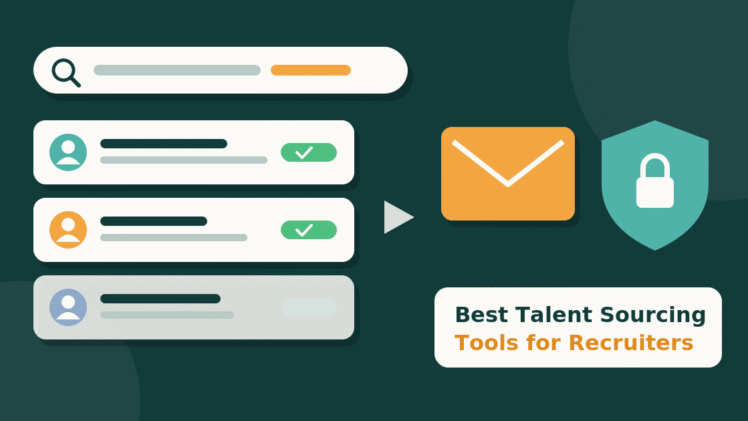
Sourcing is the proactive side of recruiting: identifying potential candidates before they apply, building a pipeline and starting conversations. Sourcing tools support that work in a few overlapping ways:
- Candidate search. Searching large collections of professional profiles by title, skills, location, seniority, industry and other filters. Many now accept plain-language queries alongside Boolean strings.
- Matching and ranking. Scoring or ranking profiles against the requirements of a role, often with an explanation of why each person appears to fit.
- Contact discovery. Finding an email address or phone number so you can reach a candidate outside a single network’s messaging system.
- Outreach and nurturing. Sending personalised message sequences and keeping in touch with promising people through a candidate relationship management (CRM) tool.
- Rediscovery. Searching your own applicant tracking system (ATS) for past applicants and “silver medallists” who were strong but not hired last time.
Most vendors now call their products “AI” or “agentic” platforms. In practice, that usually means software that drafts searches, ranks results and writes first-draft messages while a recruiter reviews and approves.
How to choose a talent sourcing tool
Start with the problem, not the feature list. A team that cannot find niche engineers needs something different from an agency that finds candidates but gets no replies. Before you book demos, answer these questions:
1. Where do your best hires come from?
If most strong candidates are already on one professional network, a tool built around that network may be enough. Otherwise, ask vendors which data sources they use and how they cover the countries you recruit in. Test with real searches from your own open roles during a trial.
2. Do you need search, contact data, outreach, or all three?
Some tools are full platforms with search, CRM and sequencing. Others mainly supply contact details through a browser extension.
3. How well does it connect to your ATS?
Sourced candidates should flow into your ATS without manual copying, and the tool should be able to search your existing database. Ask which integrations exist and whether they sync both ways. If you are still choosing an ATS, our guide to the best applicant tracking systems for small businesses covers what to look for.
4. How transparent is the AI?
If a tool ranks candidates, you should see why. Ask whether recruiters can override every recommendation, whether anything is sent automatically and how the vendor monitors bias.
5. What does it really cost?
Many vendors quote by seat, credits or volume rather than publishing full prices. Ask about contract length, credit limits, overages and what happens to your data if you cancel.
Eight talent sourcing tools to consider
The summaries below reflect each company’s official site. They are not test results.
LinkedIn Recruiter
LinkedIn Recruiter is LinkedIn’s own sourcing product for searching and contacting members of its professional network. The official page describes advanced filters, keyword and Boolean search, InMail messaging, team projects, reporting and ATS, CRM and email integrations. LinkedIn also offers Hiring Assistant, described as an AI agent that runs searches, reviews profiles and delivers a shortlist; the page says it is an add-on and that recruiters stay in control of decisions. For individuals who hire less often, LinkedIn points to Recruiter Lite, a more basic version with fewer filters and InMails.
SeekOut
SeekOut presents itself as a recruiting platform covering sourcing, applicant evaluation and AI screening. Its site describes one search across external profiles and your ATS, labour-market insights, role-specific rubrics, personalised outreach and rediscovery of past applicants. SeekOut says it integrates with ATS platforms including Workday, Greenhouse, iCIMS and Lever, and that it can be used inside AI assistants such as Microsoft 365 Copilot and ChatGPT.
hireEZ
hireEZ describes its EZ Agent as end-to-end agentic recruiting that runs on top of your existing ATS. According to the official page, agents handle sourcing across multiple platforms, applicant review, conversational AI screening and interview scheduling. hireEZ states that no candidate is moved forward or rejected without the recruiter’s approval, and lists ATS compatibility including Workday, SAP SuccessFactors, iCIMS and Greenhouse.
Gem
Gem began as a sourcing and CRM tool and now offers a wider recruiting platform that includes an ATS, scheduling and analytics. Its AI Sourcing page says you describe the person you want in plain language and Gem searches external profiles alongside your ATS and CRM, returning matches with reasoning, enriched profiles and contact details. Gem says its AI drafts outreach but a recruiter reviews and approves messages before they are sent, and it lists integrations with Greenhouse, Workday, Lever, iCIMS and SuccessFactors.
Findem
Findem describes its talent sourcing product as a way to unify inbound applicants, ATS rediscovery, referrals, alumni and external talent in one workflow. The page emphasises prioritising “warm” candidates, such as previous applicants and people connected to your team, before expanding to new prospects. Its assistant, Fia, turns a description of your ideal shortlist into searches and shows which signals shaped each match. Findem says it works alongside your ATS rather than replacing it.
Juicebox
Juicebox is an AI recruiting platform whose search product (also listed on its site under the name PeopleGPT) accepts natural-language queries. The official search page describes ranking profiles against your criteria, filters for seniority, skills and education, AI-written candidate summaries, signals from sources such as GitHub and publications, talent market insights and exporting lists to your ATS. The platform also covers hiring-manager intake and outreach sequences, and Juicebox lists a free plan.
ContactOut
ContactOut focuses on contact data. Its recruiter page describes a search portal with filters such as job title, location, skills and years of experience, a Chrome extension that shows email addresses and phone numbers while you browse LinkedIn, email campaigns with tracking, and saving candidates to ATS platforms such as Lever, Greenhouse and Bullhorn. It fits teams that already know who they want and need a way to reach them.
Lusha
Lusha is best known for B2B sales data but has a dedicated recruiting offer. The recruiter page describes filtering by role, skills, seniority and location, revealing verified emails and direct phone numbers, a Chrome extension, timing signals such as time in role, bulk enrichment of candidate lists and pushing details to your ATS or CRM. It also mentions per-recruiter credit limits.
Privacy and compliance: the part you cannot skip
Sourcing means processing personal data about people who never contacted you. In many countries that brings legal obligations, and your organisation, not only the vendor, is responsible for meeting them.
- Have a lawful basis. Under the EU’s General Data Protection Regulation (GDPR) and the UK GDPR, you need a lawful basis to process candidate data. Recruiters often rely on legitimate interests; the UK Information Commissioner’s Office explains the three-part test of purpose, necessity and balancing that this basis requires.
- Tell people where you got their data. Article 14 of the GDPR covers data not obtained from the person directly. The ICO’s guidance on the right to be informed says privacy information must be provided within a reasonable period and no later than one month, or at the latest when you first communicate with the person.
- Collect only what you need. Keep records for a defined period and delete data when candidates ask.
- Check other jurisdictions. Laws such as the California Consumer Privacy Act give people rights over their personal information, and many other countries have their own data protection laws. Get local advice if you recruit across borders.
- Review the vendor. Ask where data comes from, where it is stored, which security certifications the vendor holds and whether it will sign a data processing agreement.
This is general information, not legal advice; ask your legal or data protection team to approve your approach.
Sourcing tool checklist
- Define the roles and markets the tool must cover.
- Decide whether you need search, contact data, outreach, rediscovery or a combination.
- Confirm the ATS integration and whether it syncs both ways.
- Check that every AI ranking can be explained, reviewed and overridden by a person.
- Get written pricing covering seats, credits, overages and contract length.
- Complete a privacy review: lawful basis, candidate notices, retention and a data processing agreement.
Frequently asked questions
Do small companies need a sourcing tool?
Not always. If you hire a few people a year, job posts and referrals may be enough. Consider a tool when roles stay open too long. To compare channels, see our guide to recruitment agencies vs. job boards.
Can AI sourcing tools make hiring decisions?
Several vendors above say their AI suggests while recruiters decide. Keep it that way, and evaluate candidates on job-related evidence, for example with structured interviews or our guide to pre-employment assessment tools.
Is it legal to email a candidate whose address I found through a tool?
It depends on where the candidate lives. Under the GDPR, you need a lawful basis, must provide privacy information and must respect objections.
The best sourcing tool is the one that fits your roles, markets and process, and that you can use responsibly. Run a short trial, judge it by the candidates you actually reach, and keep people in charge of hiring decisions.